Image 1 of 1: ‘Four panes of RStudio, showing the editor, console, environment and plots panel’
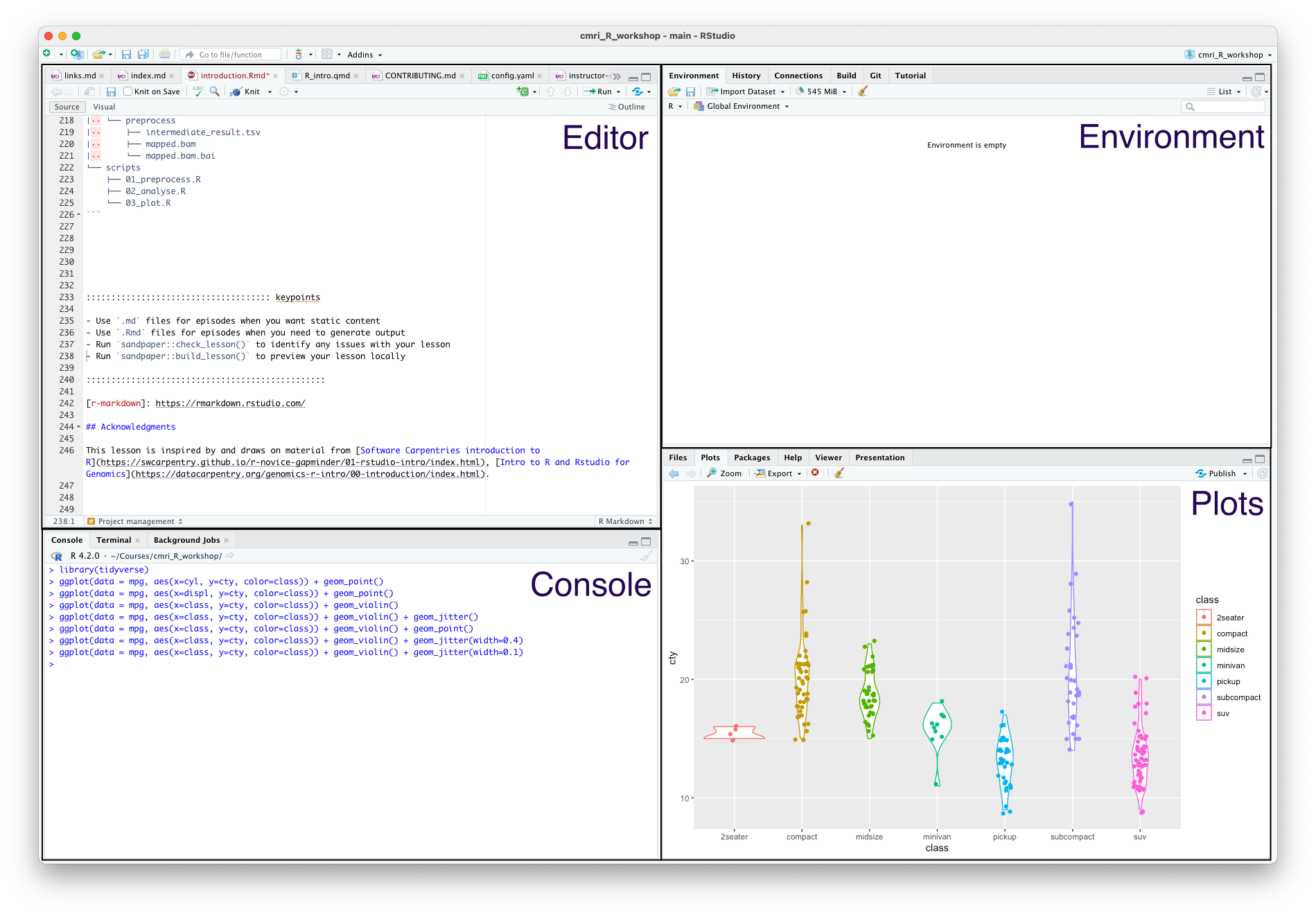
Image 1 of 1: ‘A cross in the margins where a line of code is syntatically incorrect’

Image 1 of 1: ‘Mousing over the cross reveals the message "expected , after expression" and "unmatched opening bracket (’
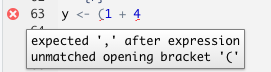
Image 1 of 1: ‘A function takes as input (x,y), does some stuff, and outputs z’
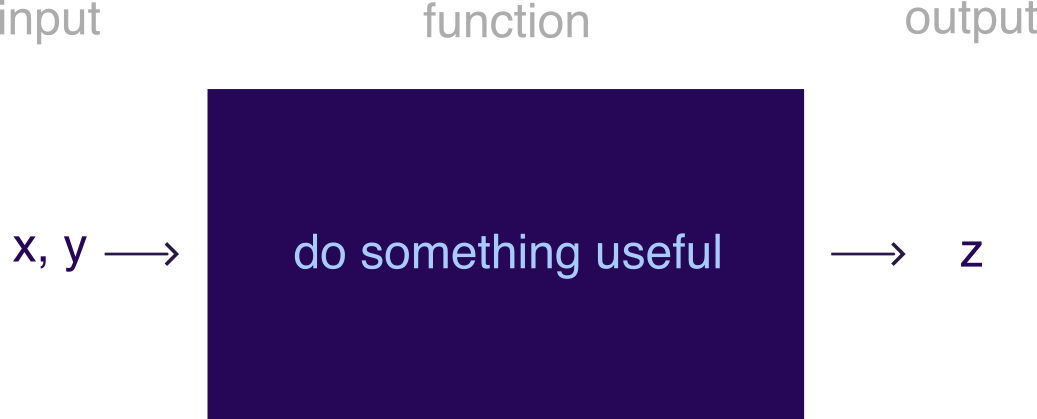 A black box function
Image 1 of 1: ‘[decorative]’
 Fail fast Image credit
Image 1 of 1: ‘[decorative]’
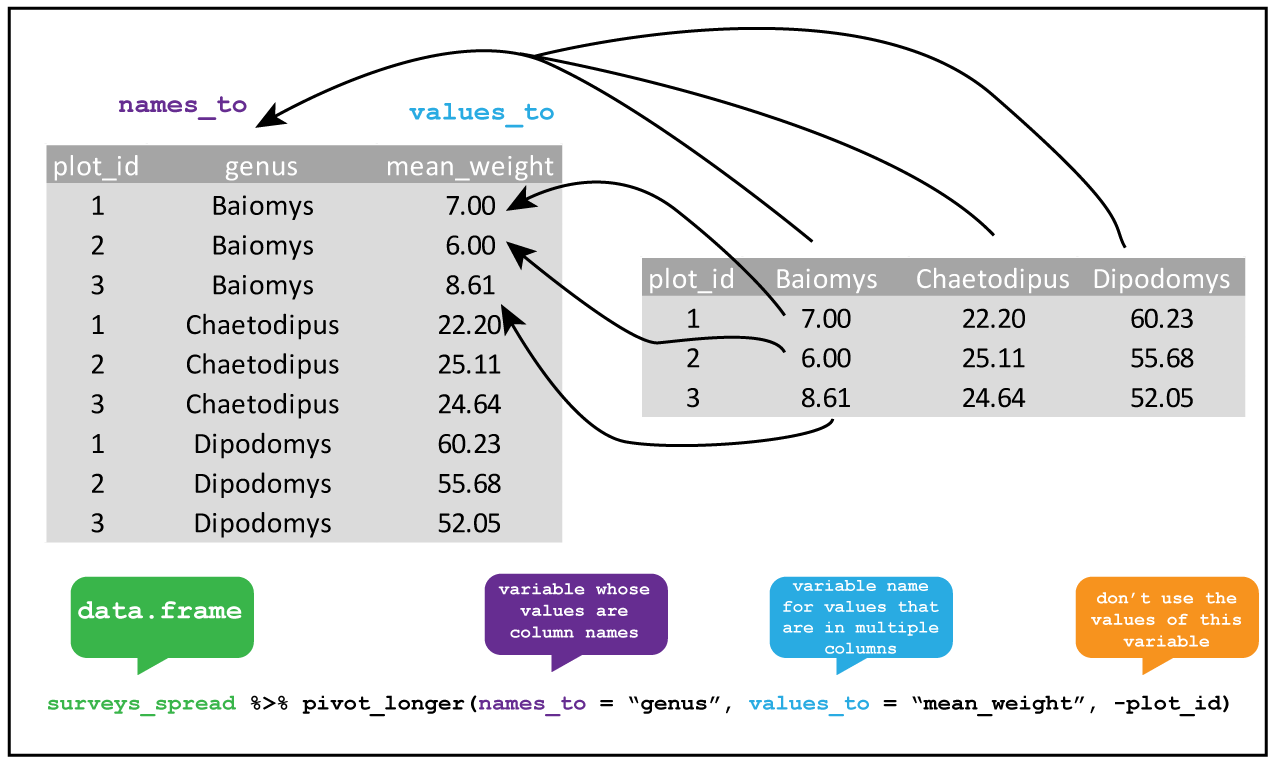 Pivoting longer
Image 1 of 1: ‘[decorative]’
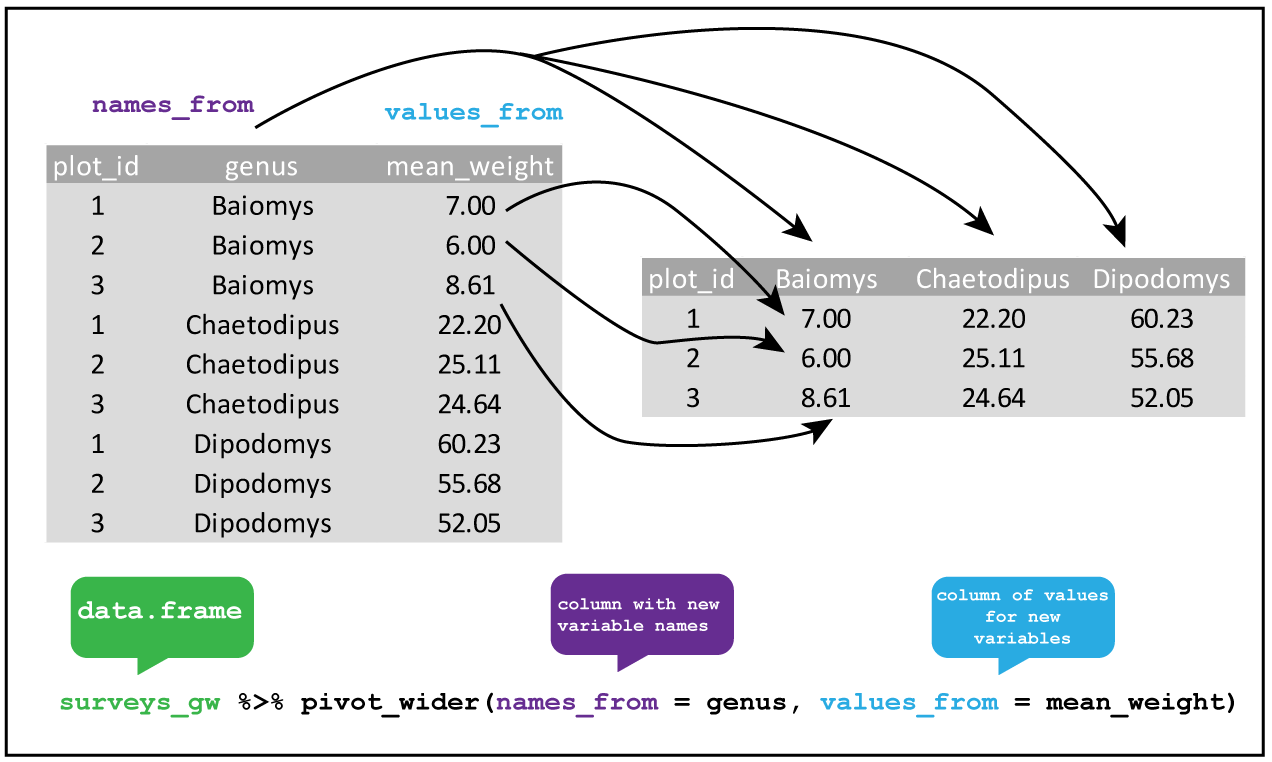 Pivoting wider
Image 1 of 1: ‘[decorative]’
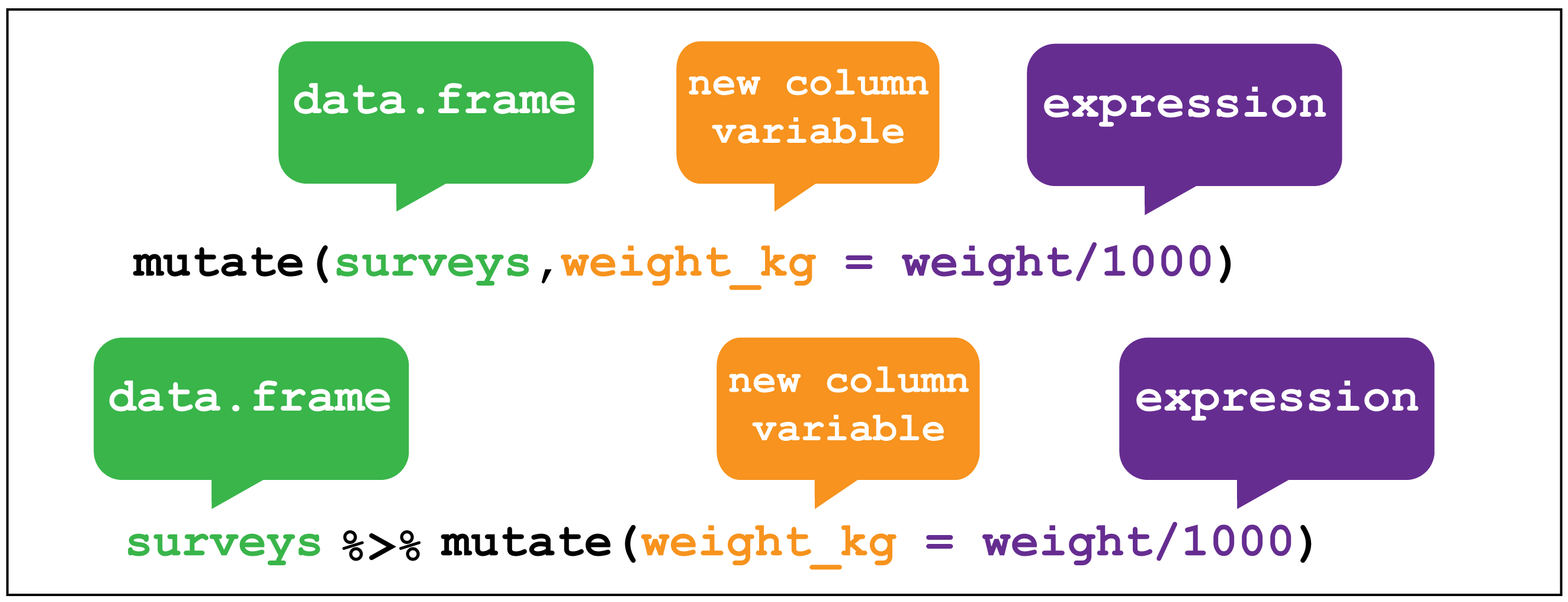
dplyr::mutate() image credit
Image 1 of 1: ‘[decorative]’
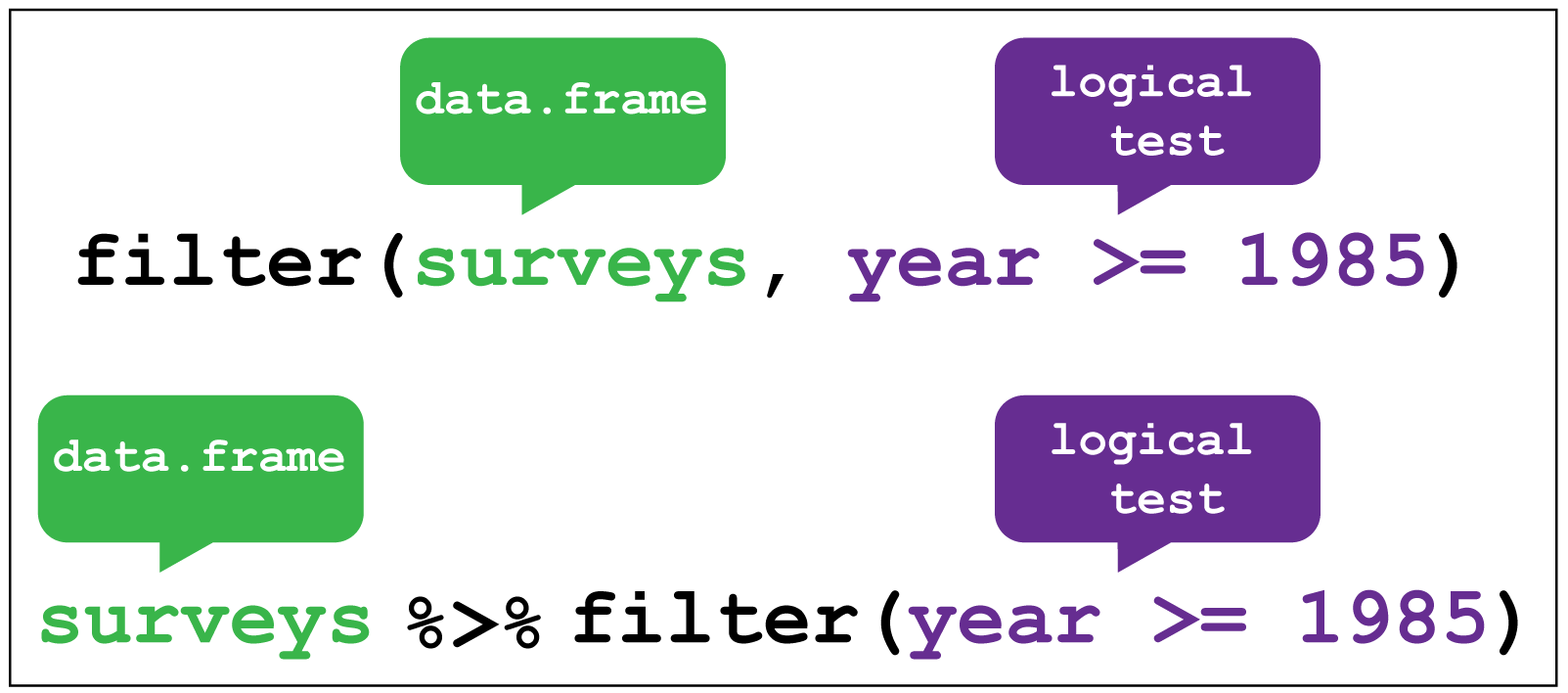
dplyr::filter() image credit
Image 1 of 1: ‘[decorative]’
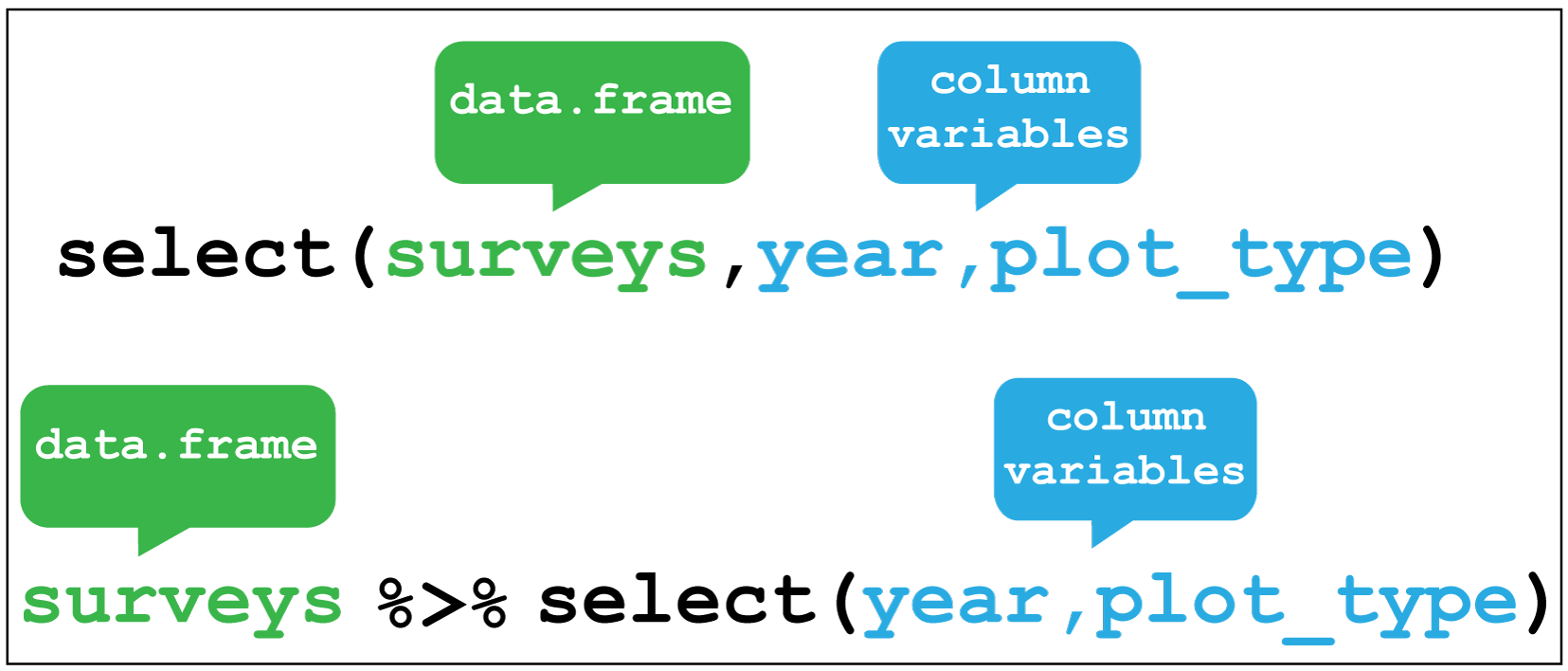
dplyr::select() image credit
Image 1 of 1: ‘dplyr::arrange() image credit’
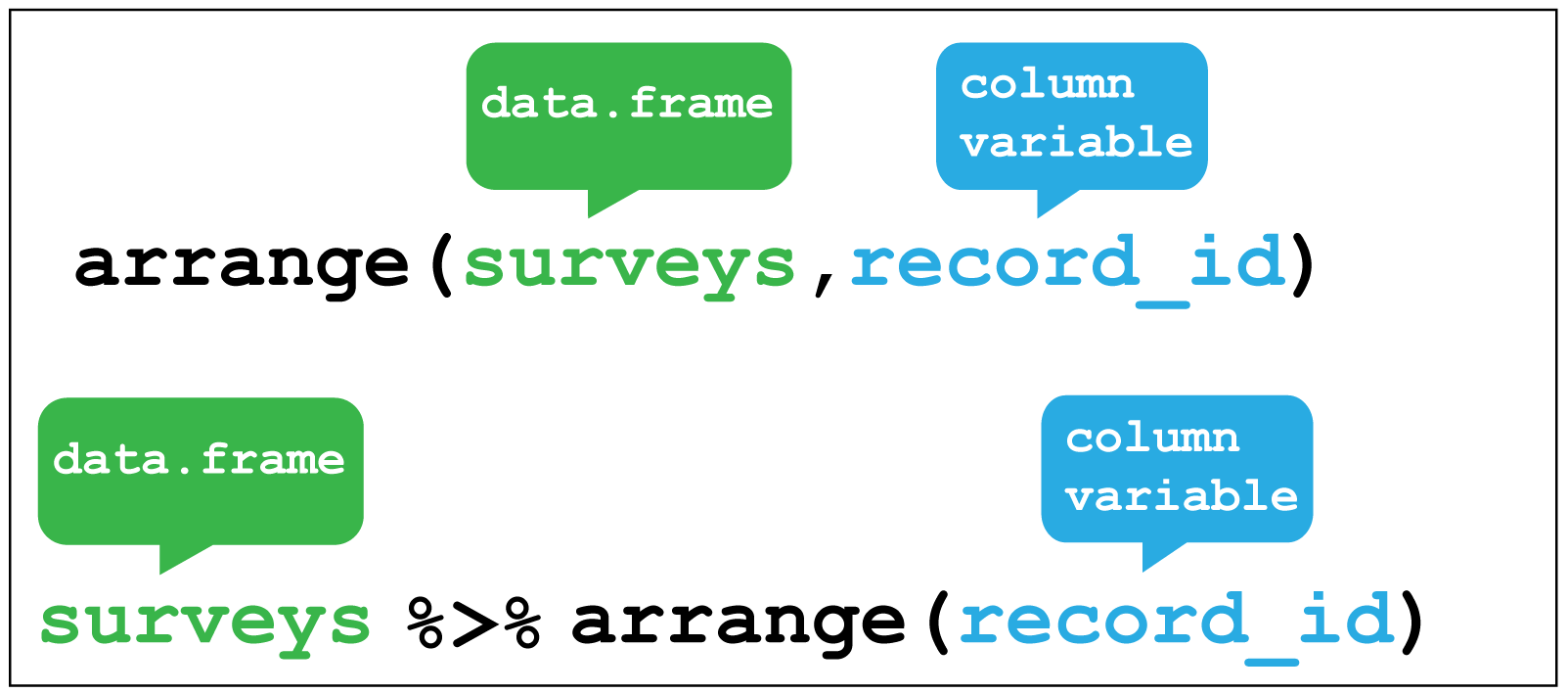 Here I sort for the hottest days, using
 desc() to get the maximum temperatures in descending order.
Image 1 of 1: ‘[decorative]’
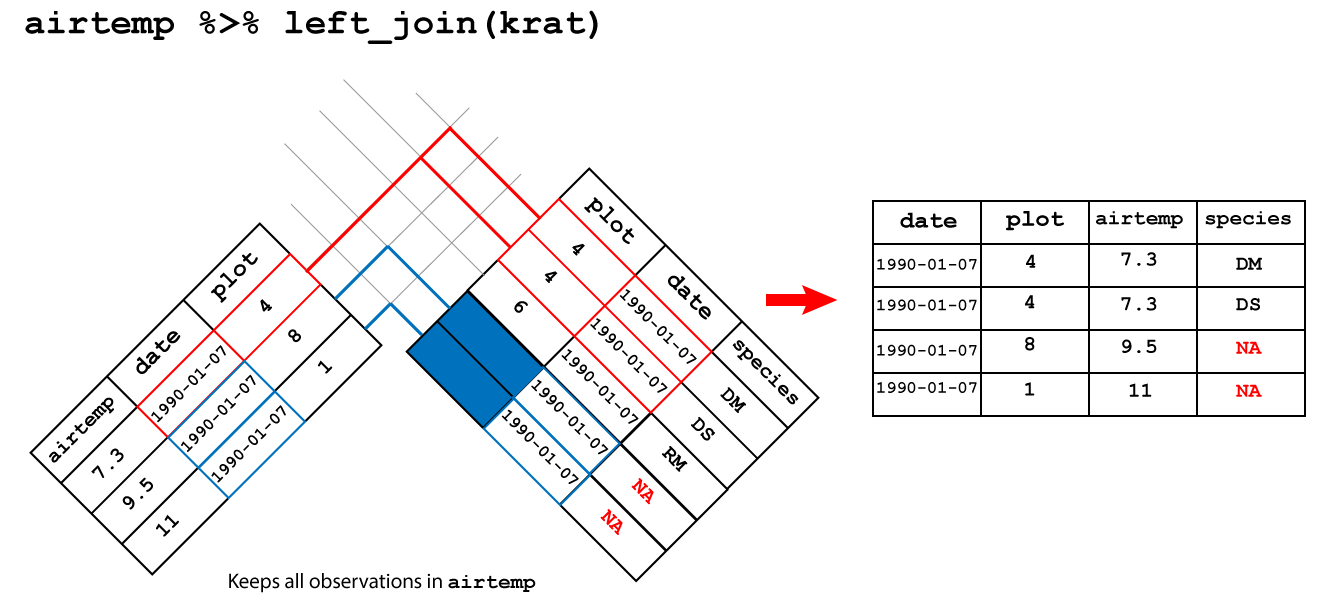 left join
Image 1 of 1: ‘[decorative]’
 Bioconductor logo
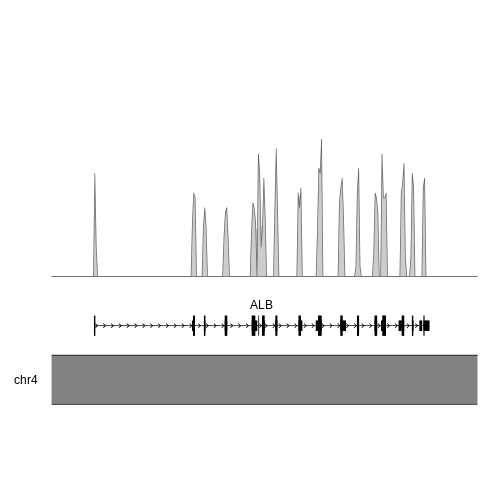
Image 1 of 1: ‘[decorative]’
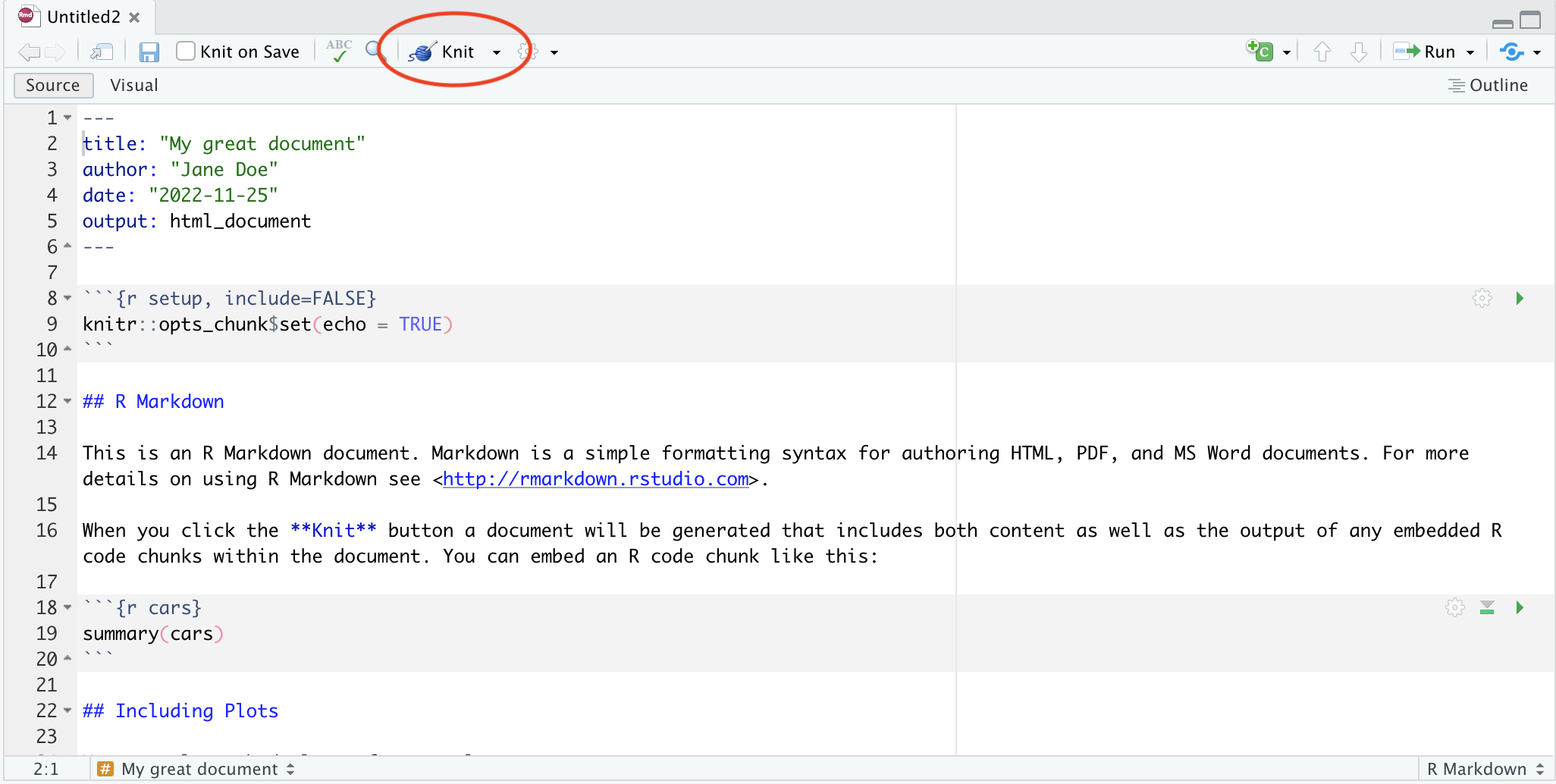 Button for knitting documents
Image 1 of 1: ‘[decorative]’
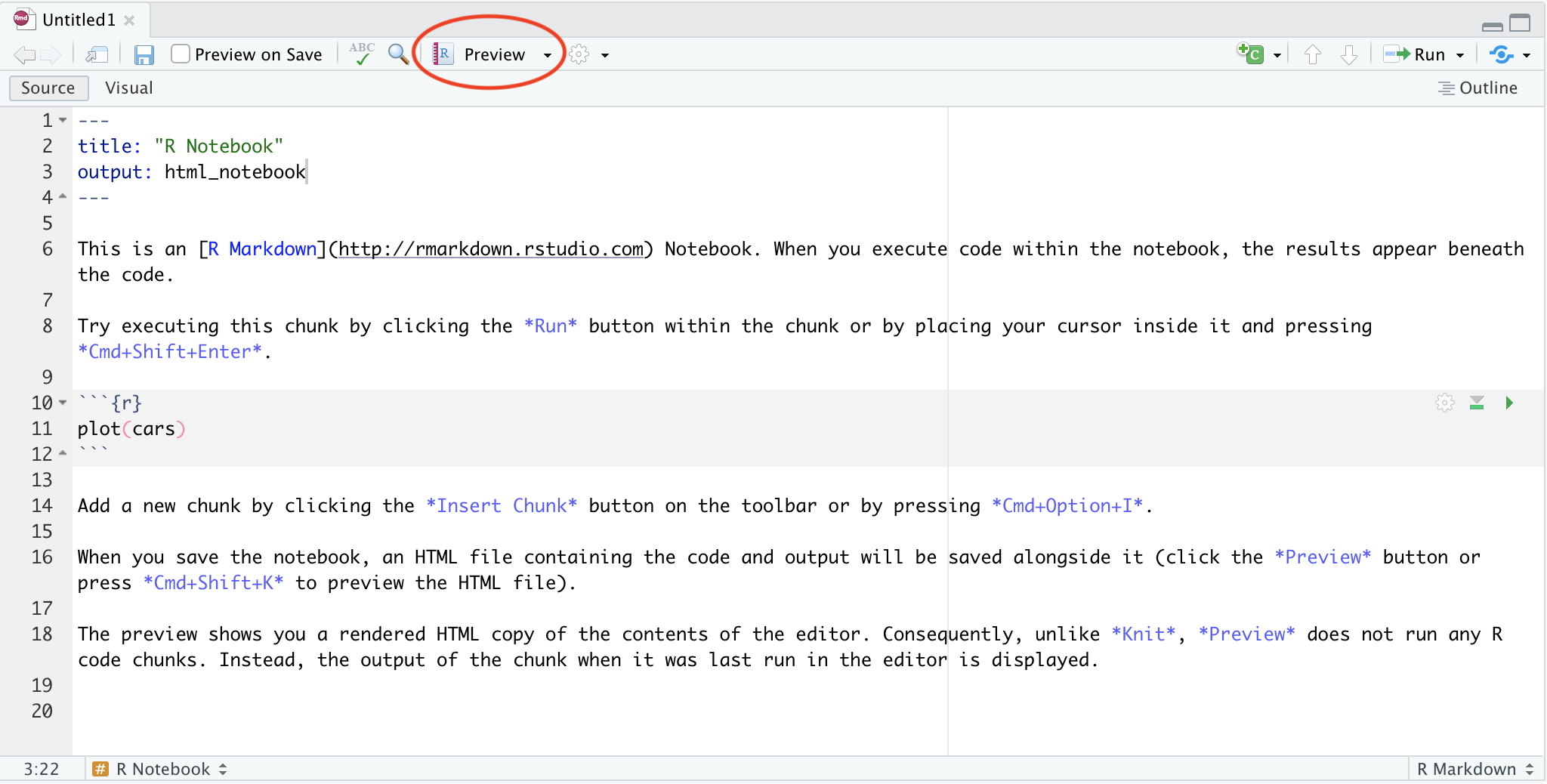 Button for knitting noteooks
Image 1 of 1: ‘[decorative]’
 Git commit timeline Image credit
Image 1 of 1: ‘[decorative]’
 Git branches Image credit
Image 1 of 1: ‘[decorative]’
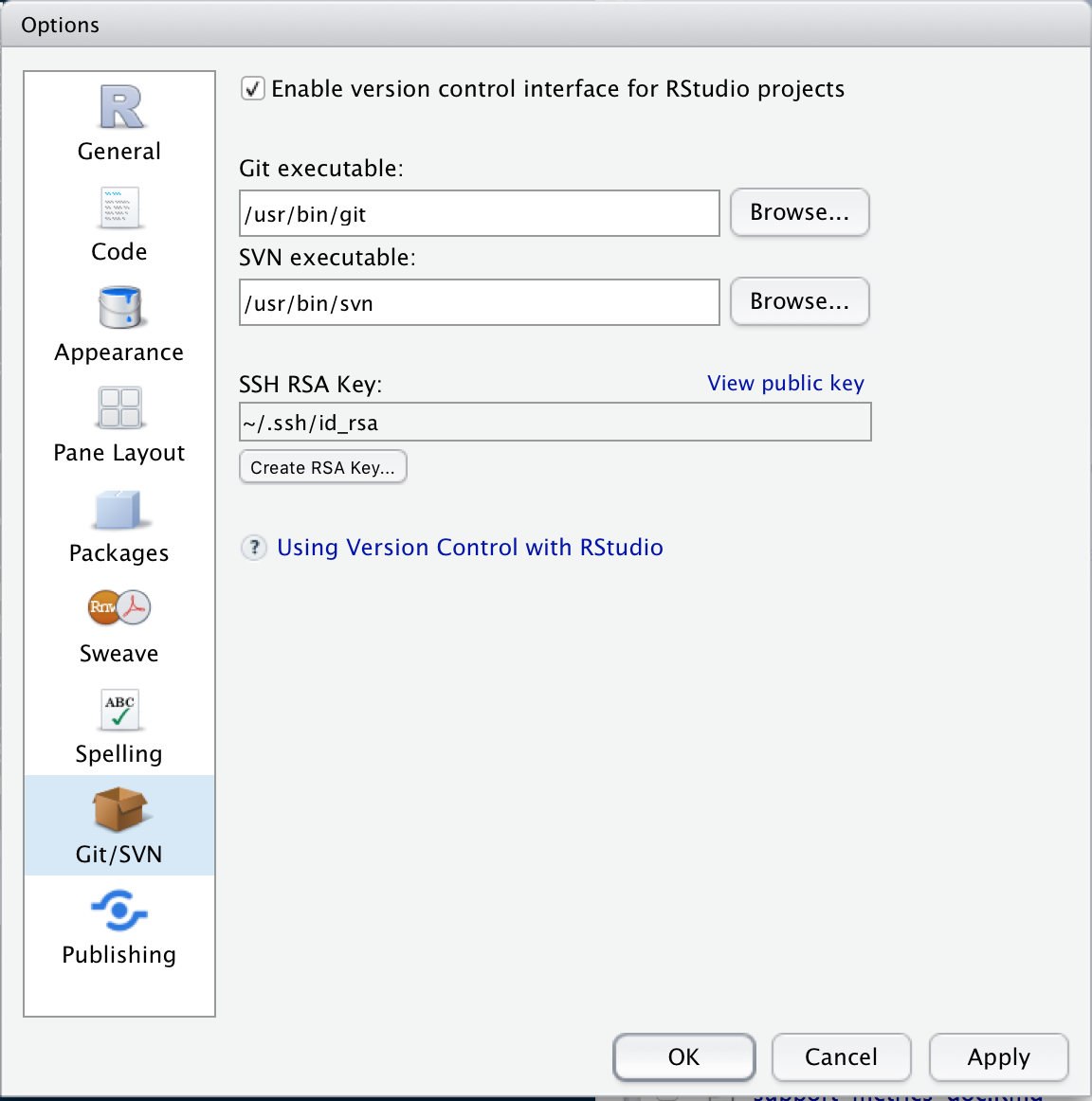 Global options
Image 1 of 1: ‘[decorative]’
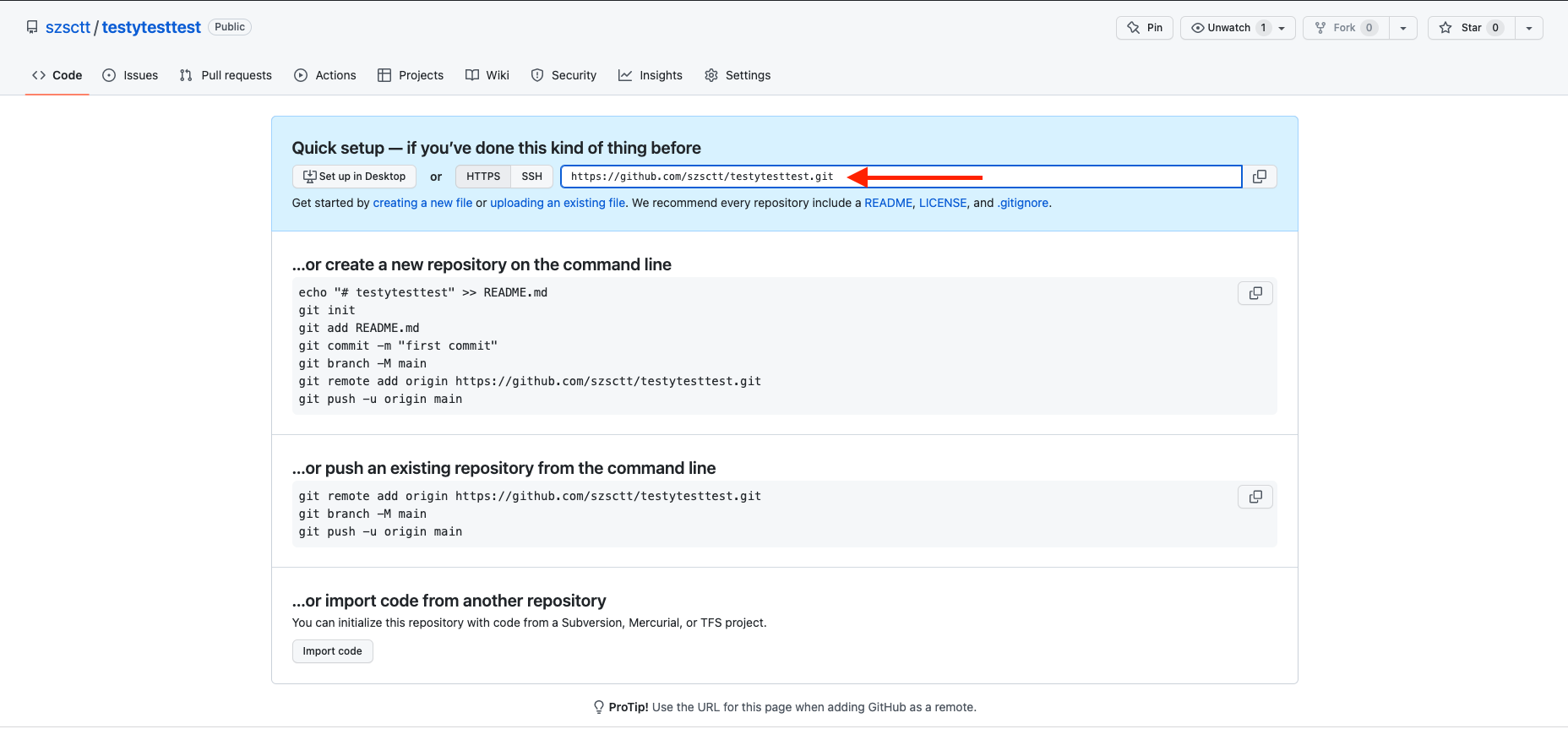 A new repo on github
Image 1 of 1: ‘[decorative]’
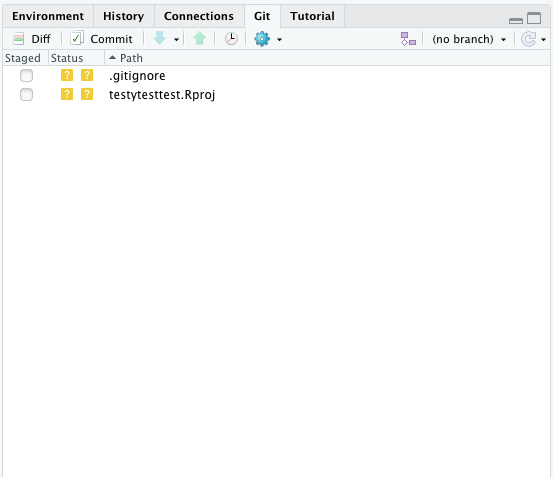 Git pane
Image 1 of 1: ‘[decorative]’
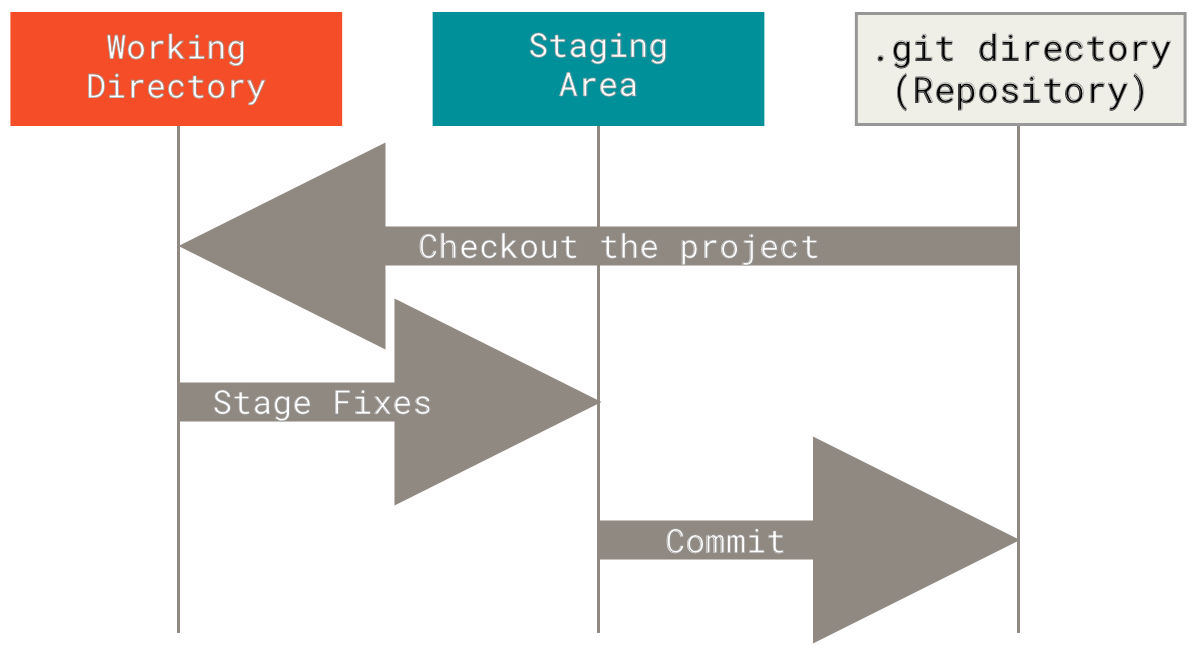 Three sections of a git project
Image 1 of 1: ‘[decorative]’
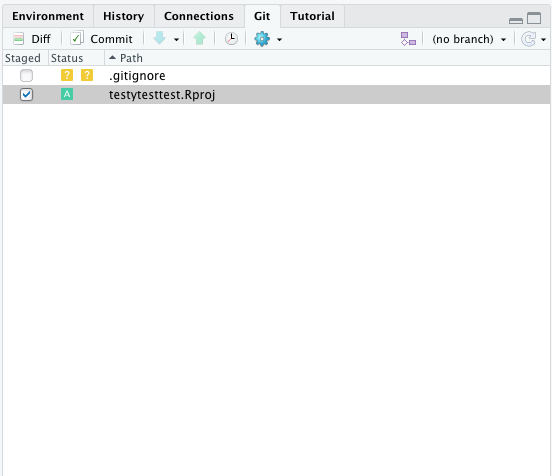 A staged file
Image 1 of 1: ‘[decorative]’
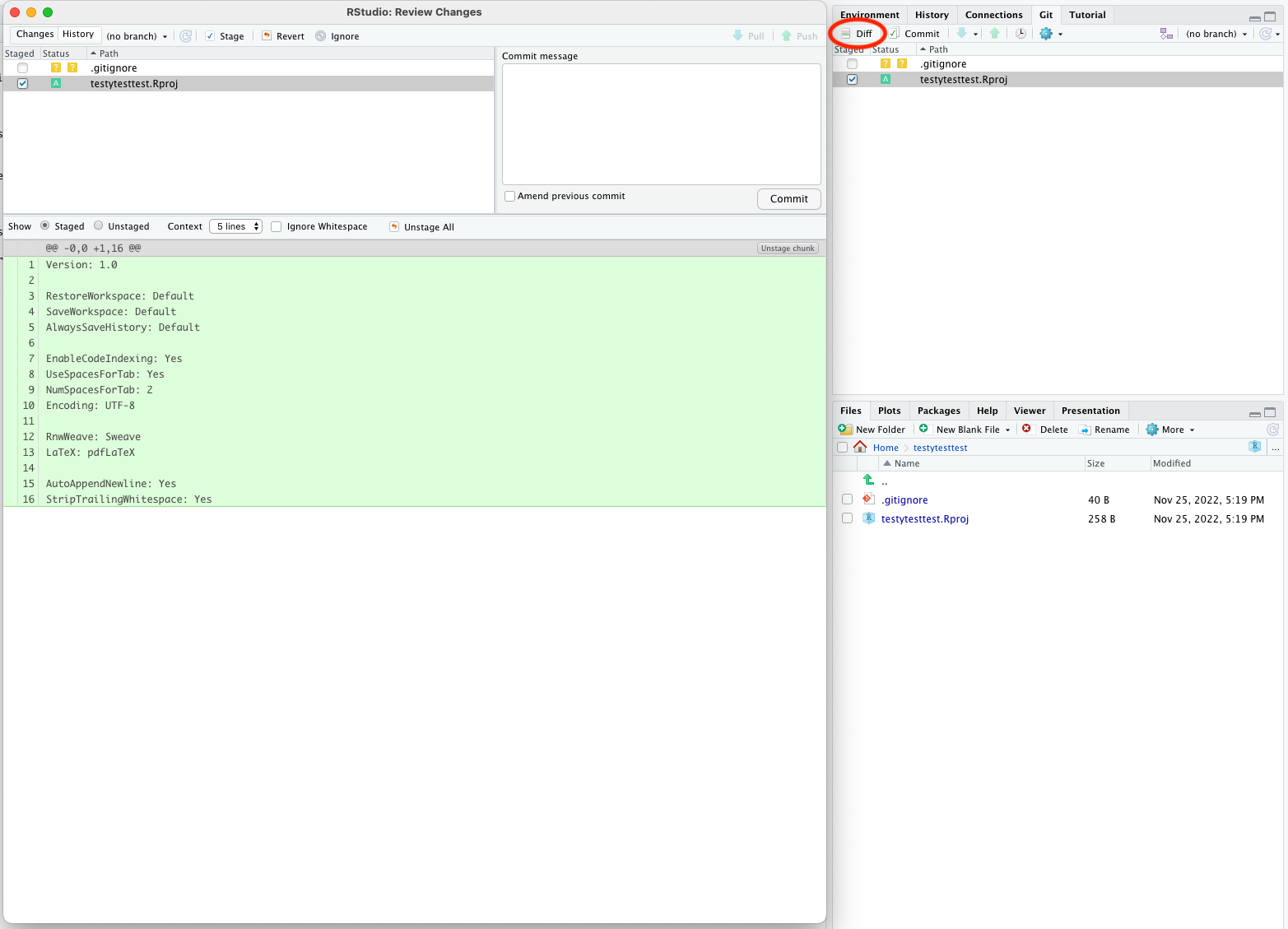 Git diff
Image 1 of 1: ‘Git commit’
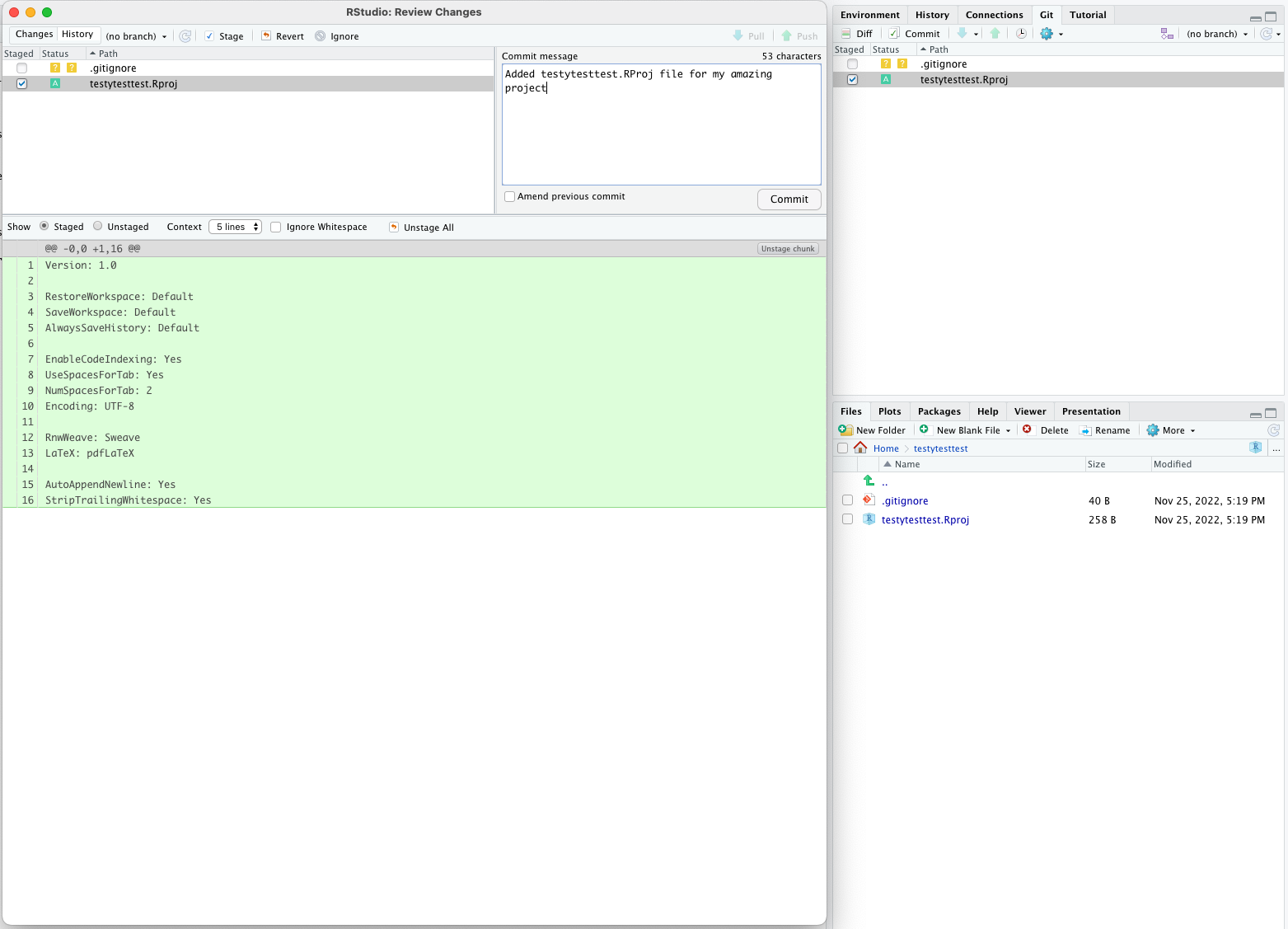 You should get a pop-up telling you the commit was successful.
Image 1 of 1: ‘[decorative]’
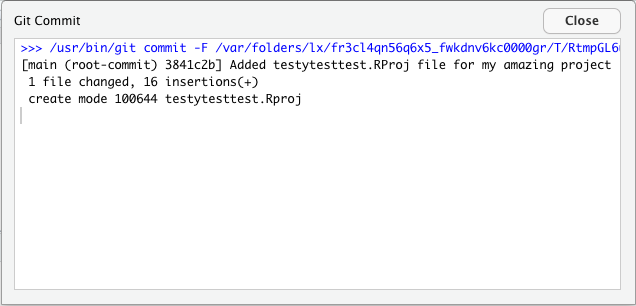 Git commit success
Image 1 of 1: ‘[decorative]’
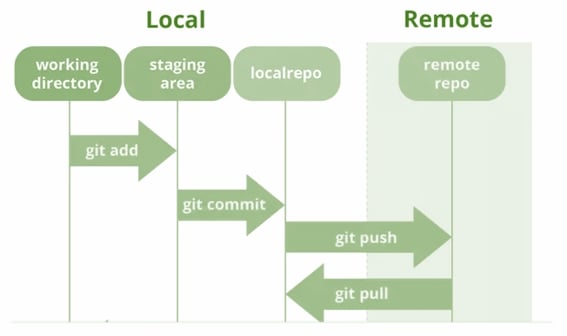 Working with remotes
Image 1 of 1: ‘[decorative]’
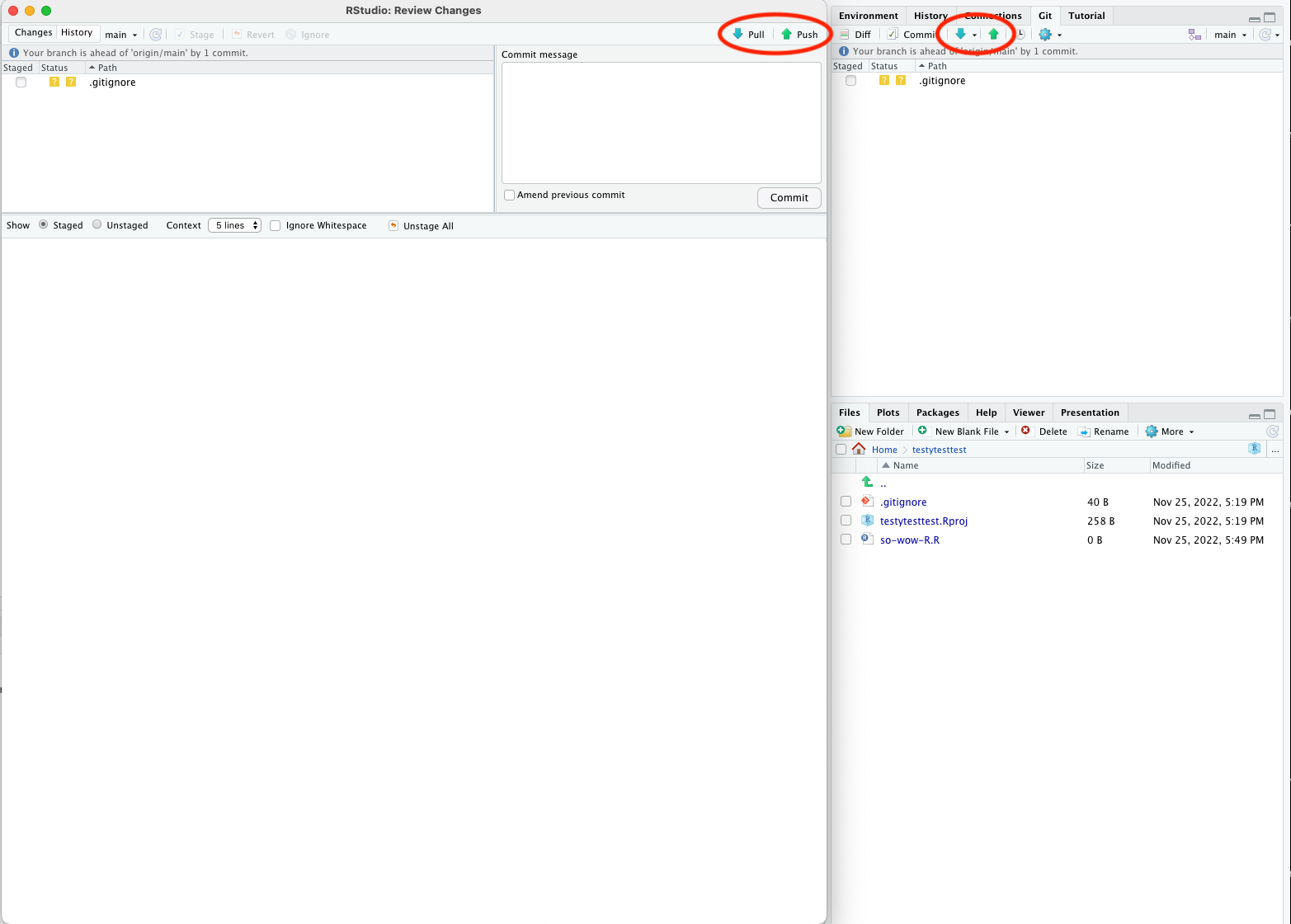 Pulling and pushing
Image 1 of 1: ‘[decorative]’
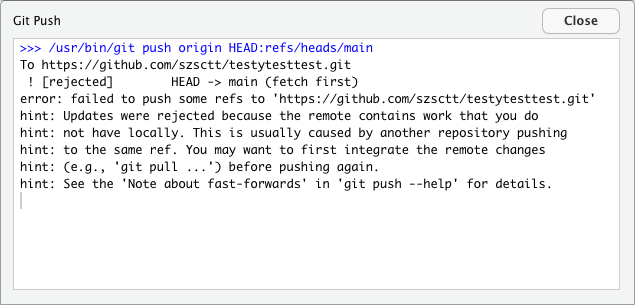 A failed push
Image 1 of 1: ‘[decorative]’
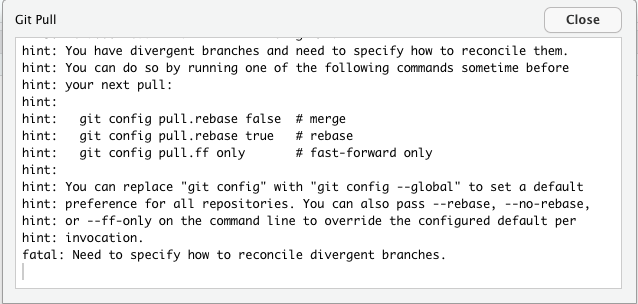 A failed push